Stats
Last updated: April 1, 2026
The Stats page shows call activity metrics across your team — number of calls, total call time, talk-to-listen ratio, and talk speed — for any date range you choose. It is useful for managers reviewing team performance and for reps tracking their own habits over time.
Where to find it
Go to Coaching in the left navigation, then select the Call Activity tab.
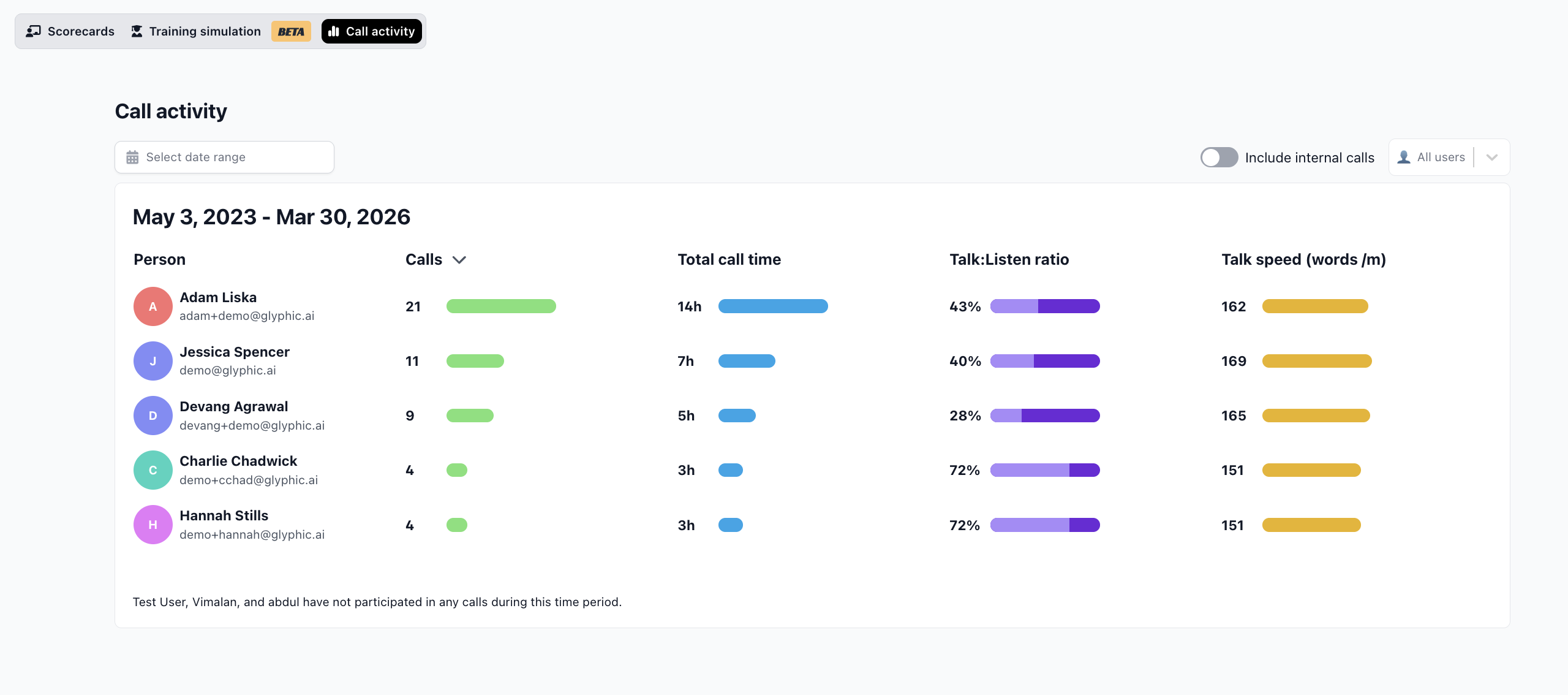
The Call Activity page shows talk metrics for each team member across a chosen date range.
Metrics explained
Calls — total number of calls recorded in the period.
Total call time — combined duration of all calls.
Talk:Listen ratio — the proportion of the call the rep spent speaking, shown as a percentage with a visual meter. A lower ratio generally means more active listening.
Talk speed — average words per minute across calls. Faster is not always better — clarity and pacing matter more.
Filters
Date range — select any custom date range using the date picker.
Team members — filter to specific people or view the whole team.
Internal calls — toggle to include or exclude internal meetings from the stats.
You can also see a personal summary of the past week's stats on your Home page, in the My Activity section.